
Outer Wilds Beginner Tips: Explore Without Spoilers
Outer Wilds beginner tips to help you fly, read your ship log, manage oxygen, and follow clues without spoiling the mystery. Make your next launch count.
Get Your Bearings Before Launch
A rough landing can teach you something; a walkthrough can give away a discovery you only get to make once. These Outer Wilds beginner tips will help you handle your ship, follow clues, and stay alive long enough to investigate what catches your eye. Start with the village tutorials, then let your questions choose your destination.
1. Give the village your attention
Timber Hearth’s starting village introduces tools and ideas you’ll use throughout the solar system. Talk to the villagers, inspect the museum exhibits, and try the hands-on activities on your way to getting the launch codes.
Spend some time with the model ship to practice flight controls. Visit the Zero-G Cave to get familiar with movement and repairs in weightlessness. These exercises give you room to learn before a damaged spacecraft becomes your problem far from home.
2. Pick a question instead of a completion route
Once you have your ship, choose something specific that interests you:
- Investigate a place mentioned in the museum.
- Find another Hearthian traveler.
- Explore more of Timber Hearth.
- Follow a mysterious signal.
You don’t need to settle every mystery on a planet before leaving it. Clues connect locations across the solar system, so an unanswered question can become your reason to visit somewhere new.
3. Treat knowledge as progress
Outer Wilds builds progression around what you learn. A discovery can change how you approach somewhere you’ve already visited, even when your equipment stays the same.
After a failed expedition, ask what you now understand: a safer route, an environmental hazard, a useful connection, or a question worth pursuing. Once the time loop is underway, death doesn’t erase the discoveries recorded in your ship log.
Official page: Outer Wilds (mobiusdigitalgames.com)
Learn to Fly and Land With Control
4. Practice slowing down before approaching a surface
Give yourself room to learn acceleration, braking, and how gravity affects your trajectory. Practice near an open stretch of terrain before attempting a cramped landing.
Use Match Velocity to reduce your movement relative to a selected target. Keep watching the approach afterward: nearby gravity and a target’s changing motion can still demand corrections.
For landing, slow down near your intended spot, switch to the landing view, and descend carefully. The downward view helps you judge where the ship will touch down.
5. Watch autopilot for the entire trip
Autopilot helps with travel between destinations, but it doesn’t avoid obstacles along the route. A planet—or the sun—can turn an otherwise convenient flight into a short expedition.
Check the path before engaging it. If something blocks the approach, take manual control and reposition before trying again.
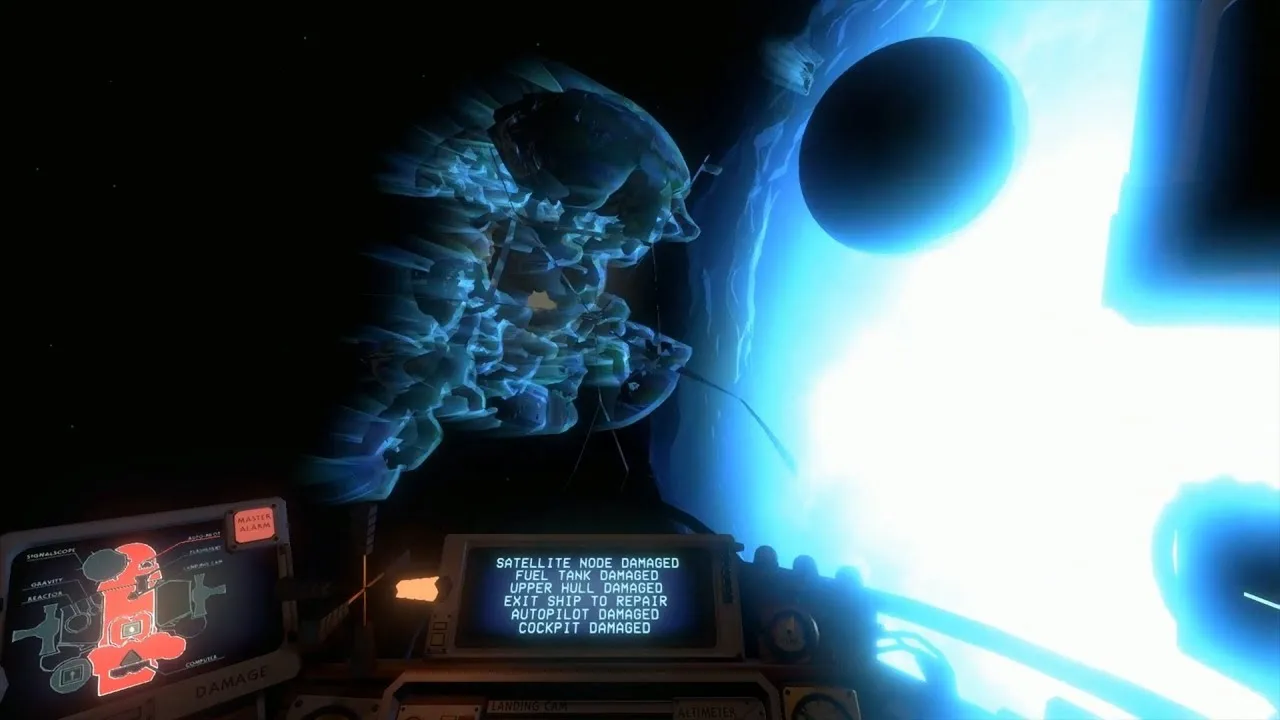
6. Read the damage display after a crash
The display to the left of the pilot’s seat identifies damaged ship components. Approach an accessible damaged part and interact with it to make repairs; you don’t need repair materials.
Repair the ship when you still need transport or supplies. If you’ve already reached your destination, consider whether continuing on foot serves your current investigation before spending time fixing every damaged section.
Make the Ship Log Your Exploration Planner
7. Check Rumor Mode between expeditions
The computer at the back of your ship records important discoveries and retains them across loops. Its two views organize information differently:
- Map Mode groups discoveries by celestial body or structure.
- Rumor Mode shows relationships between discoveries.
Use Rumor Mode when you’re wondering what to investigate next. Read the connected entries around an unfinished lead; the clue you need may belong to another location.
8. Learn what the log markers mean
A green exclamation point marks newly added text you haven’t read. An orange asterisk means there’s more to discover at that location.
Read new entries before choosing your next destination. When an orange asterisk remains, revisit with a specific question drawn from the existing notes. Look for an unexplored passage, overlooked writing, or a connection you haven’t followed.
9. Read conversations, not just isolated clues
Ancient writing carries both practical information and the history behind it. Pay attention to who is speaking, what they’re trying to accomplish, and how other writers respond.
Keep brief personal notes if names or connections start blurring together. Screenshots can also preserve a diagram or passage for reference while you’re away from the ship computer.
Use Your Tools Before Taking a Risk
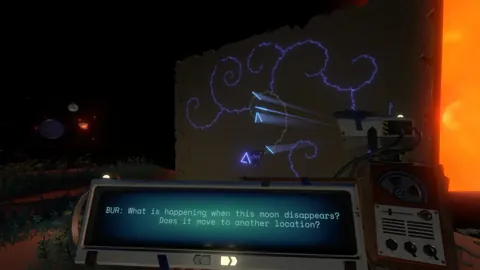
 Image: Steam / Mobius Digital
10. Send the scout ahead
Use the scout launcher to photograph unfamiliar spaces before entering them. Look around with its camera to inspect terrain and possible hazards from a safer position.
Turn that inspection into a habit whenever you reach an opening you can’t see through clearly. A few pictures can help you decide where to go and what deserves a closer look.
11. Follow signals when you need a destination
Your signalscope gives you another way to explore when visual landmarks leave you undecided. Use it to track signals and seek out fellow travelers.
Talk to explorers when you find them, and return as your understanding grows. Their conversations can give you another direction to investigate without handing you a complete route through the game.
Keep Oxygen and Health in Mind
12. Make the suit check part of leaving the ship
Put on your spacesuit before stepping outside. Forgetting it can end a trip before you investigate anything.
While exploring, check your oxygen supply regularly. Keep track of the way back to your ship and notice places where you can replenish air along the route.
13. Use trees and your ship to recover
Nearby trees and certain plants replenish oxygen. Look for them around campsites and elsewhere during your travels.
Your ship also lets you refill oxygen and recover health. Take care of those needs when you return, especially before setting out on another long walk.
14. Give campfires a practical purpose
Campfires let you pass time and roast marshmallows. Eating a properly roasted marshmallow restores health; a burned one won’t help.
Use the option to pass time when you’re deliberately waiting for an environmental change. Before doing so, consider whether the place you want to visit could become harder to reach while you wait.
Avoid Getting Trapped by One Idea
15. Revisit places at different times
The solar system changes as time passes. Sand can swallow underground spaces, and unstable terrain can collapse beneath you.
When a route becomes inaccessible, consider when you arrived. Return earlier to investigate a space before it fills, or observe how a changing environment affects the paths around you. Timing belongs alongside navigation and reading as part of exploration.
16. Leave a puzzle when you run out of evidence
If repeated attempts produce the same result, switch locations. Another planet may hold the information that makes your current obstacle understandable.
Before leaving, write down what stopped you and what you’ve already tried. On your return, test the assumption behind those attempts. Are you overlooking another entrance? Have you decided a route must work without finding anything that supports that idea?
17. Ask for a small hint before reading a solution
If frustration is keeping you from enjoying an investigation, ask for a hint tied to that location. Explain what you’ve discovered and what you’ve attempted, then request a nudge without the solution.
Avoid broad searches for puzzle answers or complete ship-log entries. Learning what to pay attention to leaves you something to work out when you return to the cockpit.
Continue with
 Outer Wilds Gameplay: A Spoiler-Light Guide for BeginnersLearn how Outer Wilds gameplay works, fly confidently, manage oxygen, and follow clues through the time loop with tips that protect the game's surprises.
More in Guide
See all GuideContinue exploring
Outer Wilds Achievements: Complete 100% Unlock Guide
Unlock all Outer Wilds achievements with base game and Echoes of the Eye checklists, tough trophy tips, rarity stats, and a clear 100% completion route.
Outer Wilds Switch: Price, Download Size, and Gameplay
Explore Outer Wilds Switch with release details, download size, play modes, and a spoiler-light look at its time-loop mystery before your next spaceflight.
Join the community
Official channels for news, updates and player help: